




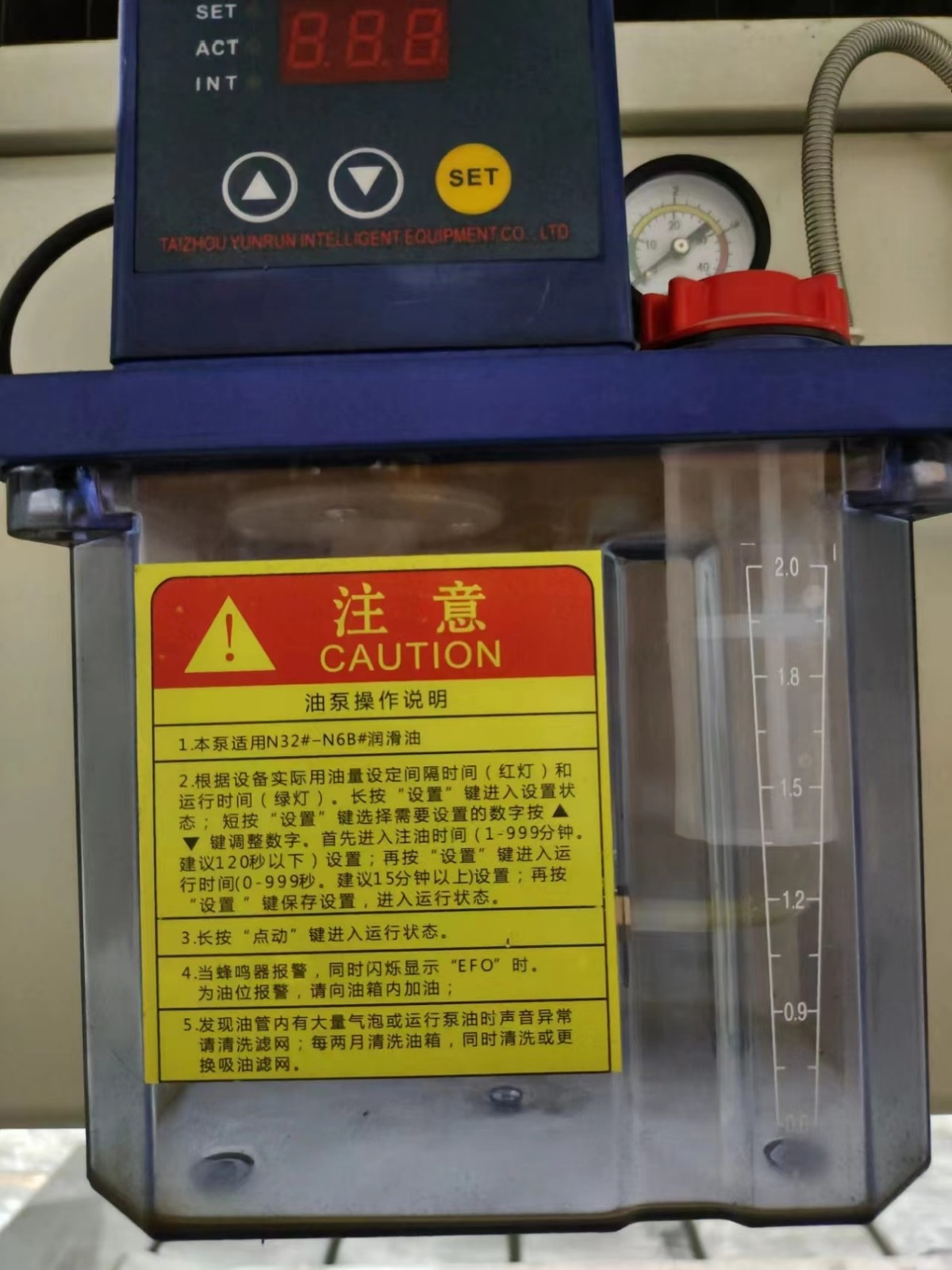
1. This pump is suitable for N32 # - N6B # lubricating oil
2. Set the interval time (red light) and operating time (green light) based on the actual oil consumption of the equipment. Long press the "Settings" button to enter the setting state; Short press the "Settings" key to select the desired number and press the▲▼ to adjust the number. First, enter the oil filling time (1-999 minutes, recommended below 120 seconds) setting; Press the "Set" button again to enter the running time (0-999 seconds. It is recommended to set it for at least 15 minutes); Press the "Settings" button again to save the settings and enter the running state.
3. Press and hold the "jog" button to enter the running state
When the buzzer alarms and flashes "EFO" at the same time. For oil level alarm, please add oil to the fuel tank.
4. If there are a large number of bubbles in the oil pipe or the sound is abnormal when running the pump oil, please clean the filter screen; Clean the fuel tank every two months and also clean or replace the oil suction filter.
Leave A Reply

JINAN GANGER CNC TECHNOLOGY CO., Ltd. has rich experience in research, development and production of CNC products. We provide customers with professional products and services in the stone processing industry.
Contact
Leave a Message Online